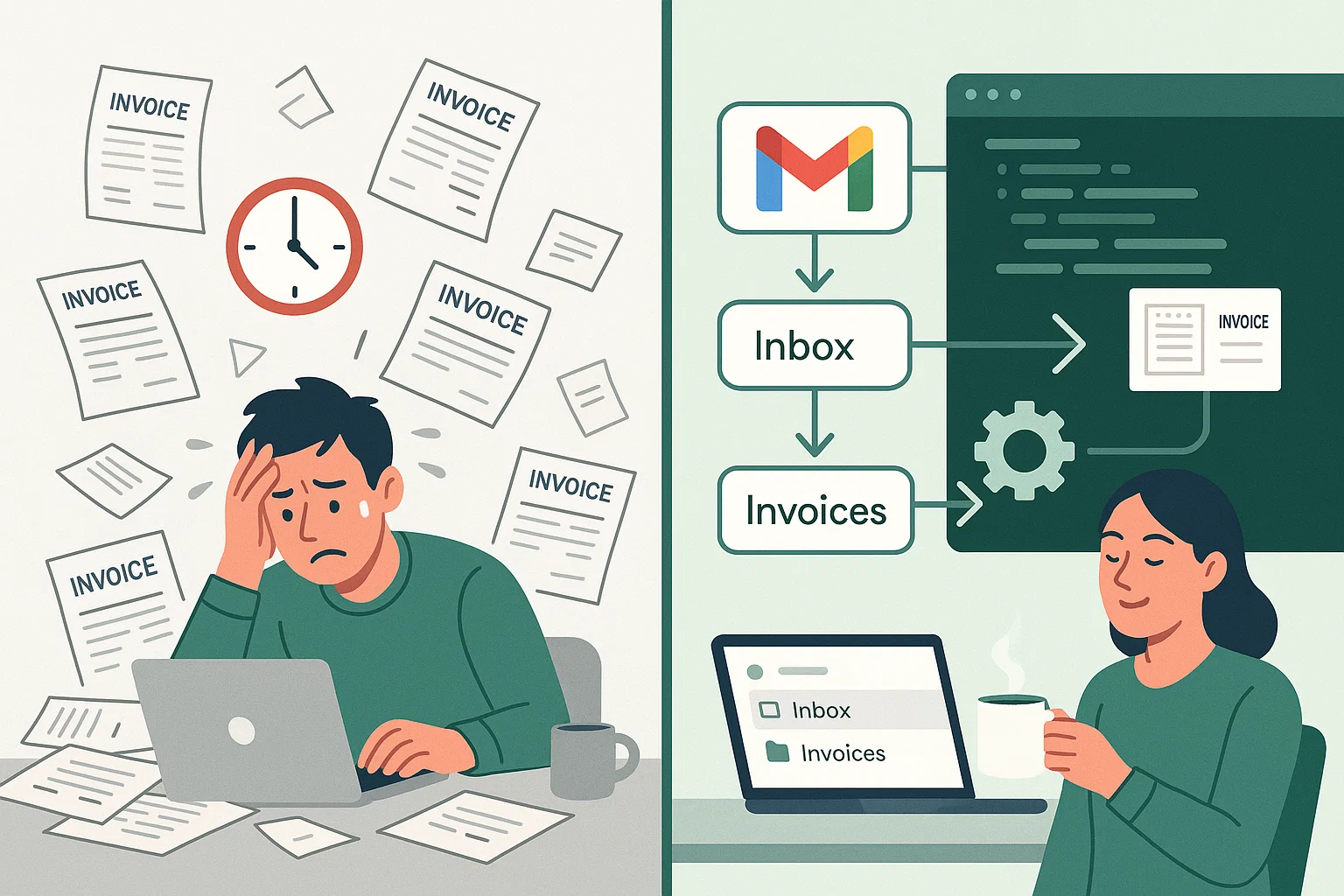
From quarterly chaos to seamless automation: How I solved my invoice management nightmare in one weekend
The Problem That Was Costing Me Money
Every three months, the same dreaded routine would begin. VAT filing time meant hours of tedious work that I’d inevitably procrastinate on:
- Hunting through my inbox for invoice attachments
- Downloading PDFs one by one
- Logging into Amazon, OVH, and other platforms to manually download invoices
- Scanning paper receipts (and forgetting half of them)
- Rushing to send everything to my accountant at the last minute
The result? Late submissions, penalty fees, and a very patient accountant who had to work overtime because of my procrastination. This chaotic process was costing me both money and stress.
This weekend, I decided to solve 80% of this problem once and for all.
The Solution: Automate the Boring Stuff
My goal was simple: make invoices flow automatically to my accountant the moment they arrive, without any manual intervention.
Here’s the automation strategy I implemented:
Phase 1: Centralize Everything in Gmail
- Scanned receipts: Now go directly to my main email account
- Email invoices: Automatically filtered into an “Invoices” label in Gmail
- Downloaded invoices: Forwarded to the same Gmail account
Phase 2: The Forwarding Challenge
This is where things got tricky. I wanted all tagged invoices to automatically forward to my accountant’s functional email address.
The problem? Gmail’s security policies don’t allow automatic forwarding to external addresses without verification. And you can’t verify a functional mailbox that no human monitors.
The solution? A custom Google Apps Script that bypasses this limitation.
Building the Gmail Automation Script
With help from Claude AI for research and GitHub Copilot for development, I created a Google Apps Script that:
- Scans for unread emails with the “Invoices” label
- Forwards them automatically to my accountant’s functional email
- Marks them as read to avoid duplicates
- Runs every 30 minutes via automated triggers
The entire script took less time to build than doing one manual VAT filing session!
Technical Implementation
I built a complete development environment with:
- VS Code + Dev Containers for consistent development
- clasp for local development and deployment
- Environment variables in
.envfile (not committed to git) - Automated config generation from environment variables
Here’s a snippet of the core forwarding logic:
function forwardInvoiceEmails() {
  const config = getConfig();
  const query = `label:${config.LABEL_NAME} is:unread`;

  try {
    const threads = Gmail.Users.Threads.list('me', { q: query }).threads || [];
    console.log(`Found ${threads.length} unread email(s) with label "${config.LABEL_NAME}"`);

    for (const thread of threads) {
      const threadDetails = Gmail.Users.Threads.get('me', thread.id);

      for (const message of threadDetails.messages) {
        if (message.labelIds && message.labelIds.includes('UNREAD')) {
          forwardMessage(message.id, config);
          markAsRead(message.id);
        }
      }
    }
  } catch (error) {
    console.error('Error in forwardInvoiceEmails:', error);
  }
}
Key features:
- Development workflow:
npm run pushdeploys changes instantly - Secure configuration: Sensitive data stays in local
.envfile - Professional setup: Complete with logging, error handling, and automated triggers
- Easy customization: Change email/label in
.envand redeploy
The Results: From Hours to Minutes
Before automation:
- 3-4 hours every quarter hunting for invoices
- Frequent late submissions and penalties
- Stress and procrastination
- Accountant working overtime
After automation:
- Invoices arrive at my accountant instantly
- Zero manual work for 80% of documents
- No more missed deadlines
- Peace of mind
The time saved in the first quarter alone exceeded the development time invested.
What’s Next: The Remaining 20%
While most invoices now flow automatically, there are still some manual tasks to tackle:
Easy Wins (Next Weekend Projects):
- OVH automation: They have a proper API for invoice downloads
- Other service providers: Most have APIs or webhooks available
The Amazon Problem:
Amazon deliberately makes invoice automation difficult:
- No customer API for invoice downloads
- Active blocking of automation attempts
- Third-party services cost $20+ per month
For now, I’ll either download Amazon invoices manually (twice a year) or simply stop ordering from them. The 95% automation rate is good enough!
Lessons Learned
- Start with the biggest pain points: Email filtering solved 80% of the problem
- Don’t let perfect be the enemy of good: 80% automation beats 0% automation
- Modern tools make custom automation accessible: AI coding assistants dramatically reduce development time
- Sometimes you need to work around vendor limitations: When Gmail’s built-in forwarding fails, build your own
Technical Resources
Want to implement something similar? I’ve open-sourced the complete solution:
🔗 GitHub Repository: gmail-automation
The repo includes:
- Complete source code with the invoice forwarding script
- Dev container setup for VS Code with all dependencies
- Environment variable configuration (secure, not committed)
- Automated deployment scripts via npm commands
- Documentation for setup and customization
Key components:
- Google Apps Script: Free cloud automation platform
- Gmail API: Programmatic email access
- clasp: Local development tool for Apps Script
- Dev containers: Consistent development environment
Quick start:
git clone https://github.com/totophe/gmail-automation
cd gmail-automation
cp .env.example .env  # Configure your settings
npm run push          # Deploy to Google Apps Script
The entire solution runs for free on Google’s infrastructure and requires zero maintenance.
The Bottom Line
What started as weekend frustration became a permanent solution that saves hours every quarter. The best part? My accountant now receives invoices in real-time instead of in last-minute batches.
Time to build: One weekend
Time saved: Hours every quarter
Penalty fees avoided: Priceless
Stress reduction: Immeasurable
Sometimes the best solutions are the simple ones. A few email filters and one small script transformed my least favorite business task into a completely automated process.
Have a repetitive task that’s driving you crazy? Maybe it’s time to automate it too.
What repetitive tasks are you tired of doing manually? Share your automation ideas in the comments below!

He runs Wellmade, a product engineering studio, and still writes the code. Twenty years of building products for companies that wanted the thinking and the building done by the same person.
This article was co-written with AI — in the loop from the first draft to the last edit. The argument, the checking and the final word are mine.